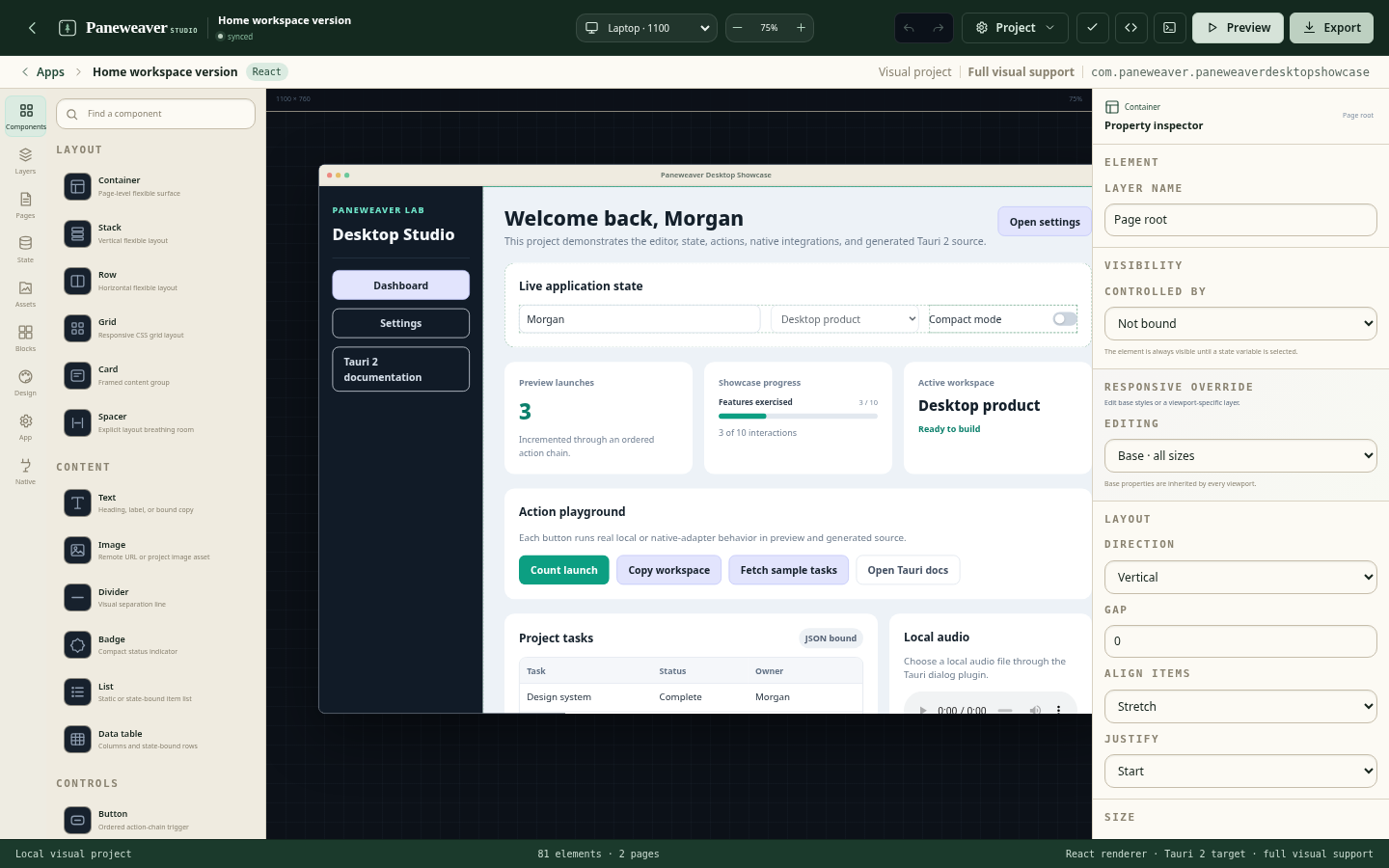
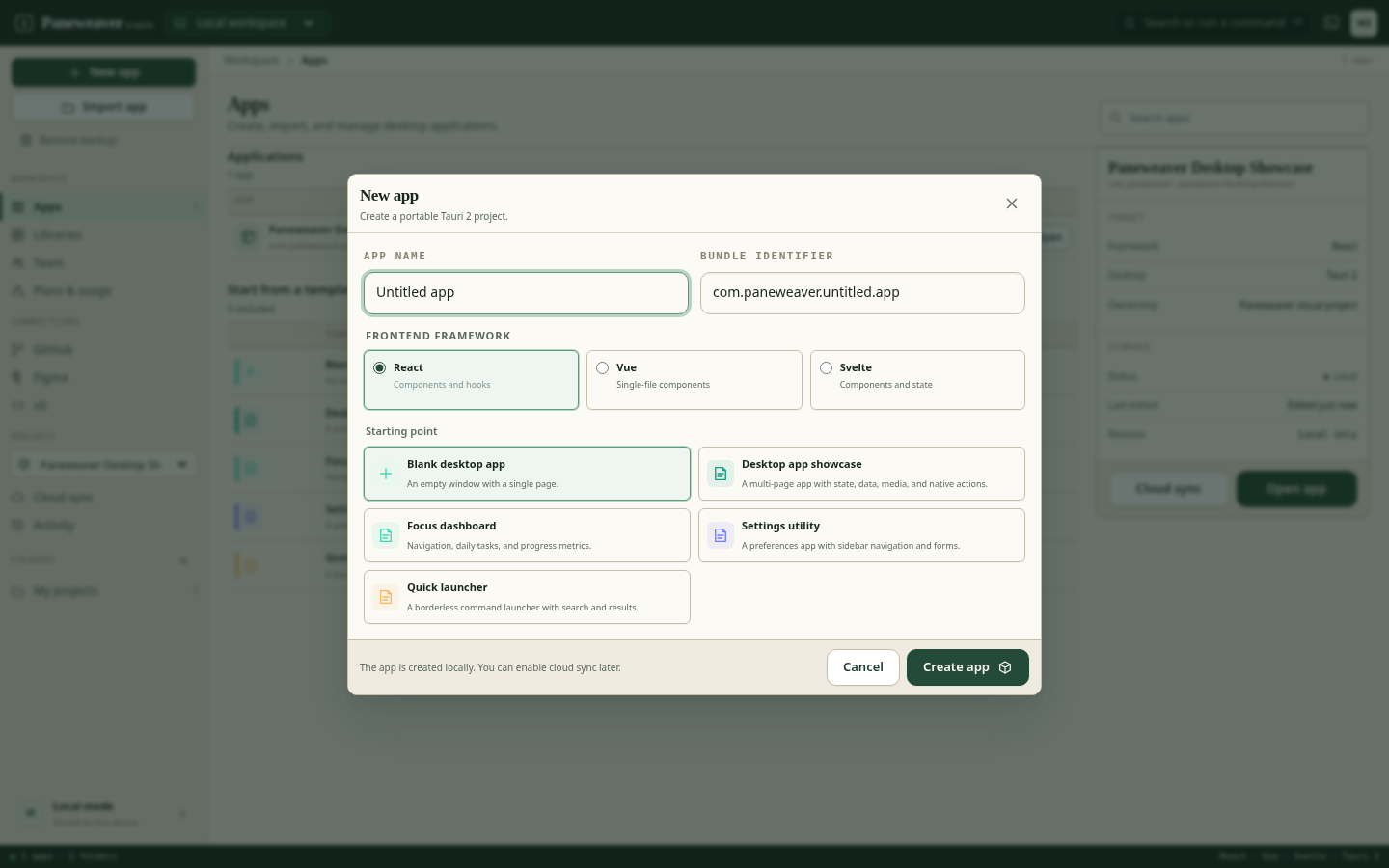
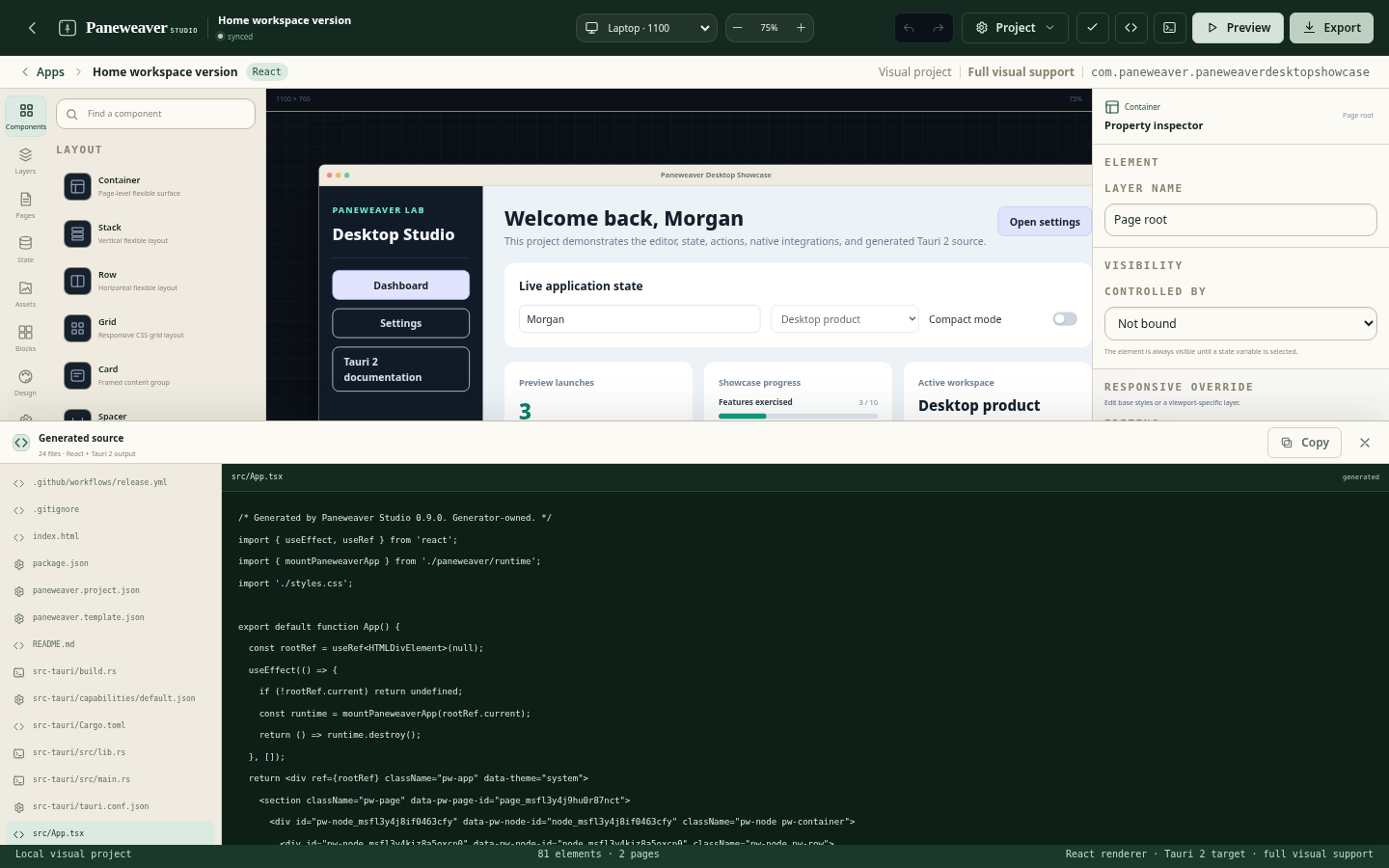
Start from a canvas, template, existing frontend, Figma, or v0. Add native capabilities, preview real behavior, collaborate with your team, and export a complete React, Vue, or Svelte Tauri project.
Useful to engineers. Approachable to the people who know the workflow.
Paneweaver does not ask every user to work at the same layer. Start visually, import source, use approved components, or extend the generated project directly.
01
Frontend engineers
Keep the stack you know.
Build with React, Vue, or Svelte; import an existing frontend; inspect the exact generated project; and drop into TypeScript or Rust when the app needs it.
Framework choice
Code-managed imports
Complete source and Git workflows
02
Product and engineering teams
Standardize without slowing down.
Share projects, design systems, components, templates, repositories, revisions, and native-capability rules across the people responsible for shipping.
Cloud project continuity
Team libraries and approvals
GitHub review workflows
03
Agencies and consultancies
Deliver repeatably, then hand off cleanly.
Turn approved patterns into reusable starting points, adapt them for each client, and deliver an ordinary Tauri repository rather than a locked artifact.
Reusable client foundations
Multi-framework delivery
Source ownership at handoff
04
Operators and new desktop builders
Start with the product, not the toolchain.
Use guided visual controls, templates, state, actions, preview, and native integrations without beginning by wiring Rust, permissions, packaging, and platform setup by hand.
Visual composition
Guided native actions
Working source when you need help
What teams build
Desktop applications for work that should not stay in a browser tab.
These are not narrow templates. They are recurring product and operational patterns that benefit from installability, native access, local context, or a dedicated window.
One desktop foundation, applied to very different work.
Paneweaver is strongest when a team needs a focused cross-platform interface, access to desktop capabilities, and a source project that can outlive the builder.
A lightweight desktop foundation that keeps the web stack.
Tauri lets Paneweaver use familiar frontend frameworks while generating a Rust-backed native application with explicit capabilities and platform integration.
Start locally. Add cloud, delivery, and governance when you need them.
Source export remains part of the local workflow. Paid plans expand continuity, builds, libraries, collaboration, release operations, and organization controls.
Local building
Local
$0forever
For visual prototyping, local development, and complete source export on one machine.
Unlimited local projects
Visual editor and built-in components
Community and permissive templates
Local preview and validation
Full source ZIP export
2 cloud projects and 3 trial build credits
Individual
Studio
$24per month
For serious individual builders who want cloud continuity, private libraries, and GitHub.
Everything in Local
Unlimited cloud projects
25 GB storage
Private personal templates and components
GitHub repository connection and visual diff
20 build credits per month
Encrypted secrets and environment values
Professional
Pro
$49per month
For developers and product teams shipping and maintaining desktop software.
Everything in Studio
60 build credits per month
Advanced native capabilities and custom Rust commands
Release channels and updater manifests
Signing and notarization workflows
Dependency policies and vulnerability reports
Collaboration
Team
For teams standardizing projects, components, repositories, and delivery.
$69per editor / month
Organization
Business
For organizations that need policies, SSO, private registries, and controlled delivery.
$119per editor / month, annual contract
Dedicated
Enterprise
For dedicated infrastructure, contractual requirements, and organization-wide governance.
Customcontract
Paneweaver is accepting a limited number of private-beta design partners. Pricing may be refined with beta feedback.
Bring a real project. Help shape the desktop workflow.
Paneweaver is looking for individual builders, agencies, and product teams who can use the product on a real application and provide specific feedback about creation, import, native behavior, source quality, or delivery.
Strong fit
You have a real desktop project, existing frontend, Figma/v0 design, or repeatable client workflow.
What to expect
Hands-on product access, direct feedback channels, and an emphasis on shipping or maintaining something concrete.
What we ask
Use the product regularly, document friction, and allow anonymized learnings unless otherwise agreed.
Questions
What Paneweaver is—and how it fits.
Details about frameworks, source ownership, cloud sync, GitHub, libraries, and the private beta.
Paneweaver is a visual development environment for creating Tauri 2 desktop applications. It combines visual composition, typed state, actions, native capabilities, import paths, generated source, GitHub workflows, libraries, and cross-device project continuity.
Who is it for?
Paneweaver is designed for frontend engineers, product and platform teams, agencies, and subject-matter experts or operators who know what the application should do but do not want to assemble the complete desktop toolchain before they can start.
Do I have to use React?
No. Paneweaver generates React, Vue, and Svelte projects. Existing compatible frontends can also be imported in code-managed mode without claiming that arbitrary handwritten source was converted into a visual model.
Why Tauri?
Tauri supports web frontend frameworks while using the operating system webview and a Rust-backed native layer. It gives Paneweaver a cross-platform foundation with explicit capabilities and room for native extensions.
Can I keep and edit the source?
Yes. Paneweaver exports a complete Tauri repository, including framework source, runtime code, Rust configuration, capabilities, assets, project metadata, and user-owned extension points.
Can I work on the same project from more than one computer?
Yes when cloud sync is enabled for the project. Paneweaver keeps the local-first project model, adds named revisions and device state, and presents conflicts for review instead of silently overwriting one machine with another.
Does GitHub replace Paneweaver cloud sync?
No. GitHub is used for reviewable source, branches, commits, and pull requests. Paneweaver cloud sync stores the visual project model, assets, mappings, revisions, and collaboration state that are not well represented as a live Git repository.
Can teams create their own design systems and components?
Yes. Paneweaver supports versioned design systems, framework-neutral visual libraries, framework-specific component libraries, private registries, and React-specific adapters such as MUI.
Can I import Figma or v0 work?
Paneweaver can analyze Figma frames and v0 projects, map known components and tokens, report editable coverage, and import either mapped visual output or code-managed source. Unsupported details remain visible in the compatibility review.
Is Paneweaver open source?
No. Paneweaver is a commercial product. Applications exported from it remain ordinary source projects that do not require Paneweaver at runtime.
Private beta
Create the desktop app faster. Keep the source when it is time to go deeper.
Apply with a real project, existing frontend, or workflow your team needs to standardize.